What are my options for creating a rubric?
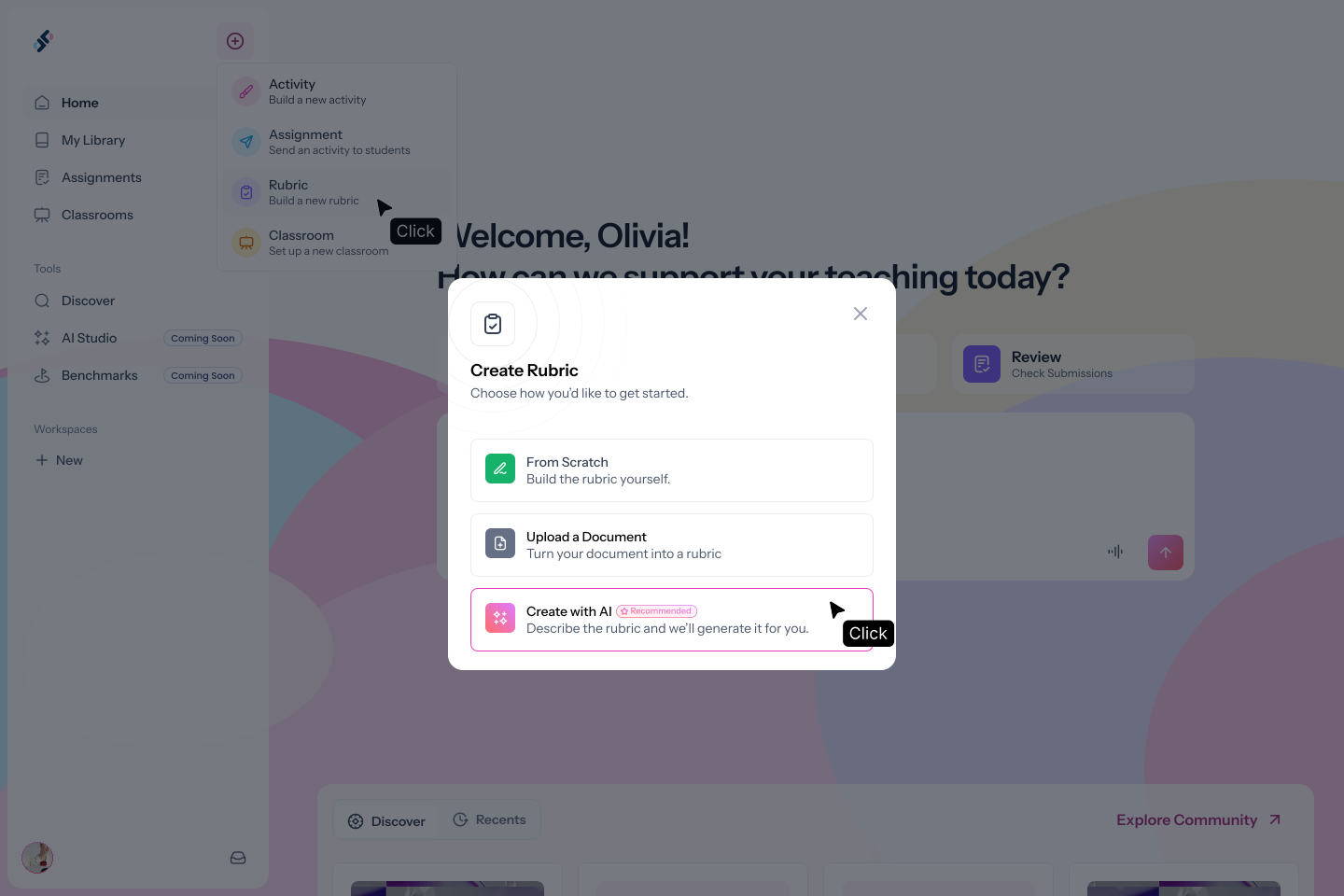
Three paths: describe the rubric using AI (recommended), upload a document and generate a rubric from its context, or build manually from scratch.
Can I edit the rubric after it's generated?
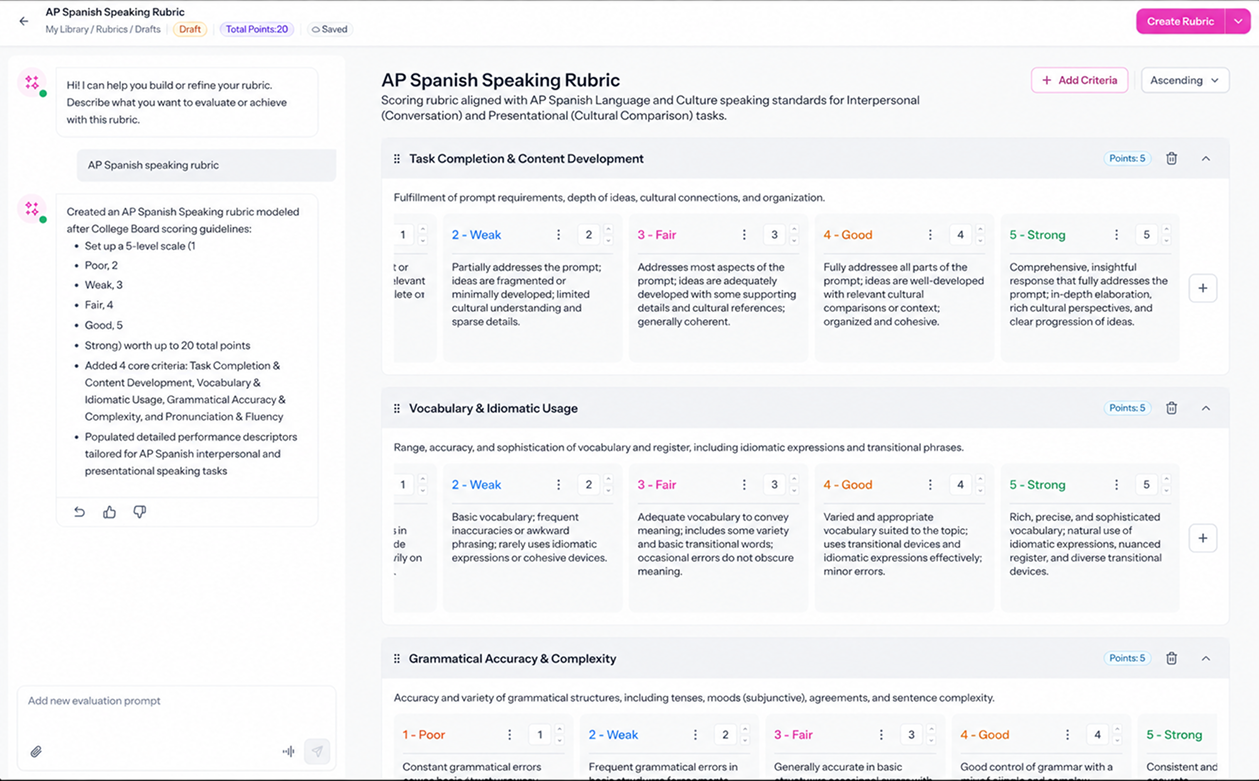
Yes. The rubric builder has a persistent chat sidebar. Type what you'd like to change, for example "remove the Superior level" or "add a vocabulary criterion", and AI updates it immediately. You can also make manual edits directly.
Can I use the same rubric across multiple activities?
Yes. Once saved, a rubric can be attached to any practice or assessment activity in Speakable.
Can I use a rubric outside of Speakable?
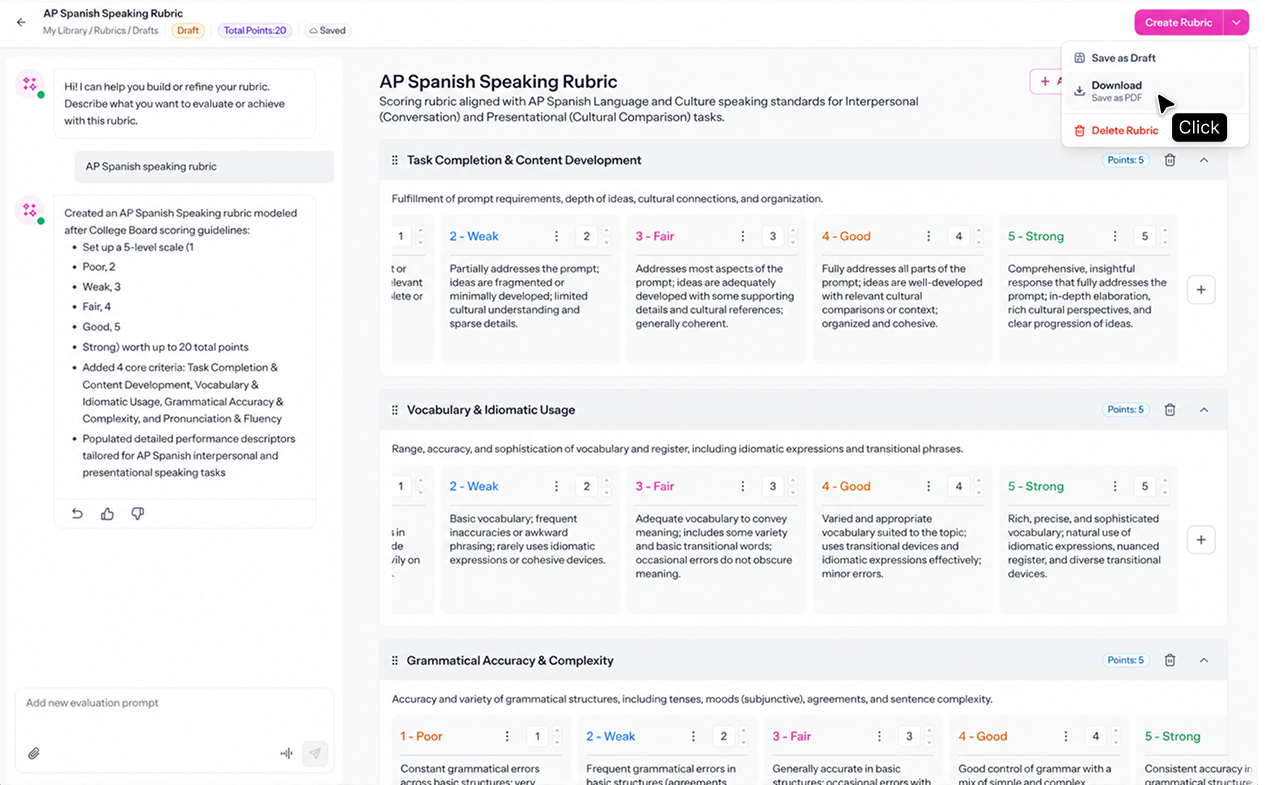
Yes. Download the rubric to print and use it for in-person assessments or any evaluation you run outside Speakable.
.svg)