Accept Typed Responses or Handwritten Work
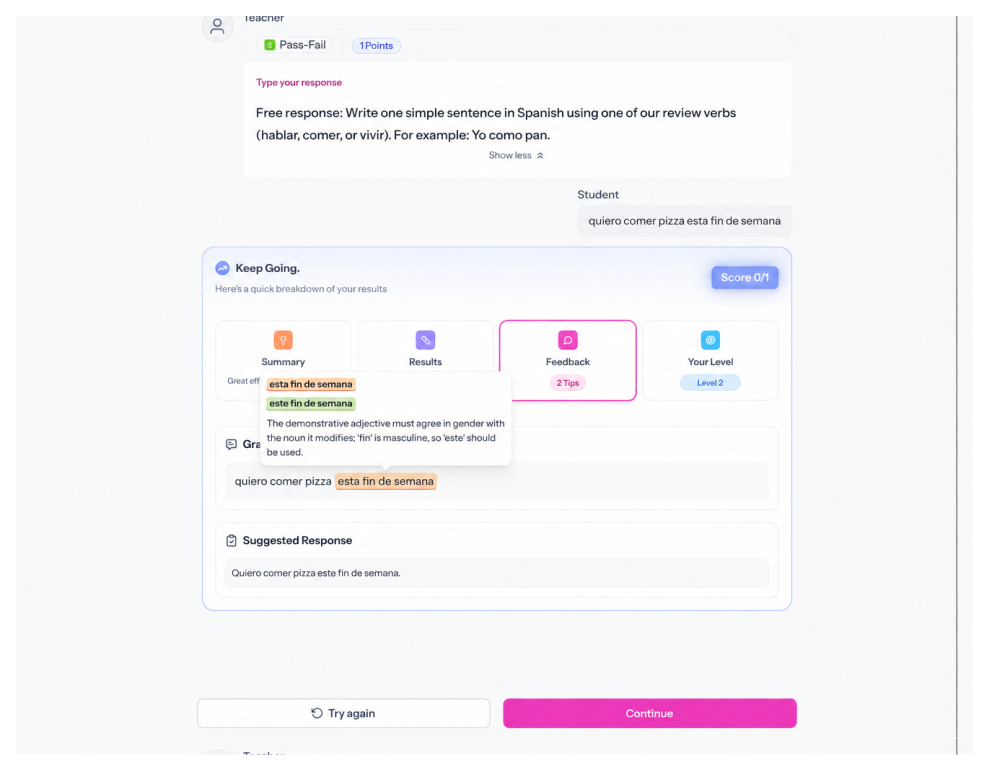
Students can type a response or upload an image or PDF. Both are supported, graded, and get the same feedback on submission.
Write Any Prompt, Attach Any Media
Write your prompt and add context students need, like an image, audio clip, video, or link. Use AI Context to add background for the grading model.
Turn On Instant Feedback, or Leave It Off
Instant feedback is optional. If you turn it on, choose what students see: grammar insights, a suggested response, a proficiency estimate, or any combination.
Grade Automatically, or Manually
Automatic grading is optional. If you turn it on, choose a method: Pass-Fail, Standards-Based, or Rubric scoring. Each one grades as students submit.
.svg)